
AnyTracker - track anything!
Shervin KoushanShopping
4.164.00 Reviews
- Version
- 7.3.4
- Installs
- 100.00K
- Age Rating
- Everyone
Screenshots
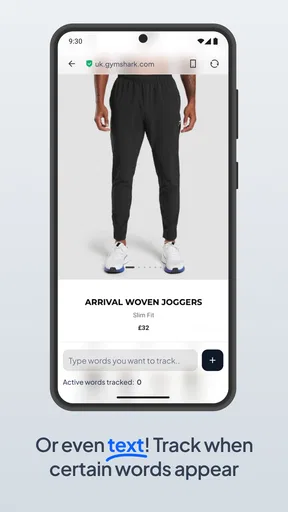
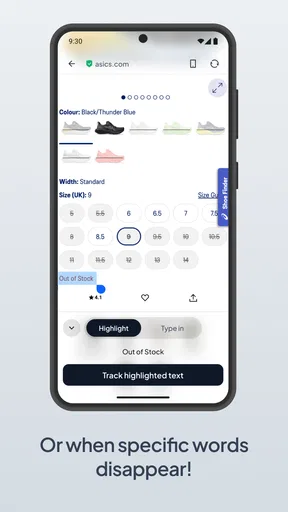
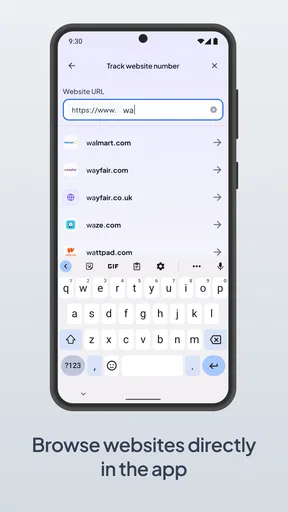
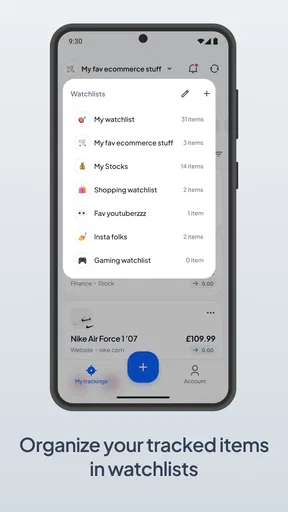
Our Review of AnyTracker - track anything!
 Analysis by Appyee
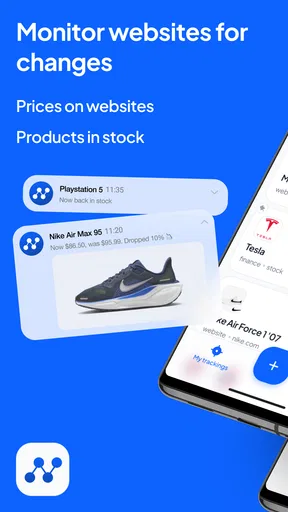
I tend to notice how many different places I check only when I’m waiting for something: a price to drop, a parcel to arrive, or a figure to change. That is the kind of small, repeated task AnyTracker is meant to simplify. It is a free shopping app from developer Shervin Koushan, built around watching prices and changes on websites, including Amazon. Rather than opening the same pages again and again, I can use it as a place to keep an eye on things that matter to me.
Start with one thing you actually want to watch
The most useful way to approach a tracker is to begin with a specific question: “Has this item become cheaper?” or “Has this page changed?” That keeps the setup focused. I would not start by trying to monitor every interesting product or webpage at once; a short list of genuine priorities is easier to review and less likely to become background clutter.
For a shopping example, imagine I need a replacement appliance but do not need it today. I can find its page, set up a watch, and let the app help me notice a change instead of checking the listing each morning. The practical benefit is not a promise that the price will fall; it is a more deliberate way to wait and decide. I still need to judge whether the current price, delivery terms, and seller suit me before buying.
From a page to a useful signal
AnyTracker’s central idea is to follow changes on websites, not just to collect shopping links. That distinction matters. A bookmark is handy when I want to return to a page, but it does not tell me whether something on it has changed. Repeated manual checking can work too, though it relies on remembering to do it. A tracker is most useful when the page is likely to change and I care enough about that change to act on it.
For a cleaner workflow, I would give each watch a clear purpose and avoid treating every small variation as important. A product page may include details beyond its price, so it is worth checking what the app is tracking and then revisiting the original page before making a purchase. That extra check is a sensible handoff: AnyTracker helps surface a change, while the retailer’s page remains the place to confirm the current offer and complete the order.
Keeping an eye on several decisions
The app can make sense for people who compare purchases over time, especially if they often revisit the same websites. I can picture using it for a planned household purchase, a hobby item that is not urgent, or a product I want to compare with alternatives before spending. It may also suit someone who monitors pages for changes beyond shopping, provided those changes are relevant to their own routine.
There is a trade-off when one tool covers many interests: convenience can turn into a crowded list. I would separate “worth checking soon” from “interesting but not urgent” in my own habits, and remove watches once the decision is made. Otherwise, old trackers can make the app feel less helpful, even if each one was useful at the time. The app works best as a practical shortlist, not as an archive of every page I have ever considered.
What to expect before relying on it
AnyTracker has an average rating of 4.1 from around 1,400 ratings, and it has been installed over 100,000 times. It is rated for everyone, runs on Android 7.0 or later, and its current version is 7.3.1. The app is free to install, with in-app purchases ranging from $0.99 to $100.00 per item, so I would check the purchase details in the app before committing to anything paid.
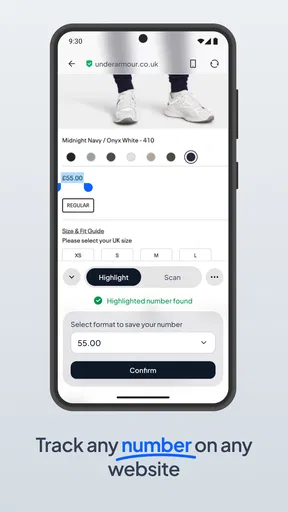
For everyday use, the key question is whether the pages I care about can be tracked in a way that produces a useful signal. Website layouts and the information shown on them can vary, so I would test a single important page first rather than building a large set of watches immediately. If a change does not look right, I would open the source page and verify it there. That small trial helps me learn whether the app fits my particular shopping routine.
Ever found yourself juggling multiple tracking apps for your various interests? From parcels to sports scores, managing it all can get overwhelming. That's where AnyTracker comes in. This nifty app promises to be your one-stop solution for tracking literally anything. I took it for a spin and here's what I found.
What is AnyTracker All About?
AnyTracker is designed to consolidate all your tracking needs into a single platform. Whether you're keeping tabs on your favorite team's performance, the latest stock prices, or the whereabouts of your online orders, this app claims to do it all. The idea is simple: one app, countless tracking possibilities.
User Interface and Experience
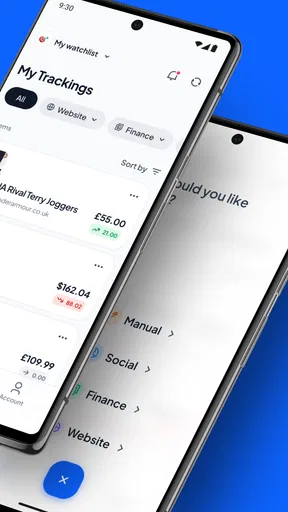
First things first, the user interface is clean and intuitive. When you open the app, you're greeted with a dashboard that makes navigation a breeze. The developers have clearly prioritized user experience, as everything you need is just a tap away.
Adding a new tracker is straightforward. You can choose from a wide array of categories, or even create a custom tracker if your specific need isn't covered. The process is seamless, and the app walks you through each step, ensuring that even the least tech-savvy among us can set up their trackers without a hitch.
Tracking Options Galore
The real magic of AnyTracker lies in its versatility. It's not often you find an app that lets you track everything from flight schedules to cryptocurrency trends. The app supports a myriad of categories, including:
- Sports Scores: Stay updated with live scores from a variety of sports.
- Stock Market: Monitor your favorite stocks in real-time.
- Parcel Tracking: Integrates with major shipping services to keep you updated on your deliveries.
- Weather Updates: Get the latest forecasts for multiple locations.
- Custom Trackers: Create a tracker for anything that matters to you.
And that's just scratching the surface. The app's ability to adapt to your personal needs is what sets it apart.
Notifications and Alerts
One of the standout features of AnyTracker is its notification system. You can customize alerts to suit your preferences, ensuring you never miss an update. Whether it's a significant dip in your stock portfolio or the arrival of a package, the app keeps you informed with timely notifications. This level of personalization makes it easy to prioritize what's important to you.
Performance and Reliability
In my time using AnyTracker, I found the app to be remarkably stable. It runs smoothly without any noticeable lag, and updates are pushed promptly. This reliability is crucial for an app that aims to be your go-to tracking solution. Plus, it doesn't drain your battery, which is always a plus!
Community and Support
The developers behind AnyTracker have also built a supportive community for users. Whether you're experiencing an issue or just want to share a tracking tip, there's a forum where you can connect with fellow users. The customer support team is responsive, addressing queries and concerns efficiently.
Choosing it over familiar shopping habits
Compared with ordinary shopping apps, AnyTracker is most appealing when I want to watch a particular page rather than browse a retailer’s catalogue. A retailer app is usually better for saved lists, account benefits, order management, and completing a purchase. A price-comparison service may be quicker when I want to compare many shops at once. AnyTracker’s advantage is the more personal, page-focused approach: I can keep a watch on a page I already care about instead of changing my shopping routine entirely.
That difference also defines when I would skip it. If I buy something as soon as I find it, there is little value in monitoring it first. If I only want a broad market comparison, a dedicated comparison tool may present competing offers more directly. And if the item is essential today, waiting for a possible change is the wrong strategy. I see this app as a companion for considered purchases, not a substitute for checking stock, delivery, or seller details at checkout.
Making the alert lead to a decision
A useful alert should prompt a small next step, not an automatic purchase. When I notice a change, I would reopen the tracked page, confirm that the product and options are still the ones I want, and check whether the displayed offer still makes sense. A lower number alone does not tell me whether the item is the right model or whether the overall deal is worthwhile. This simple routine helps prevent a notification from becoming a reason to buy something I had not properly chosen.
For several planned purchases, I would also use distinct names that make the reason for each tracker obvious. “Kitchen replacement” is more helpful to me than a vague label when I am scanning a list later. Once I have bought the item or decided against it, removing that watch keeps future alerts relevant. These are small organizational choices, but they make a multi-purpose tracking app feel like a decision aid rather than another inbox demanding attention.
Fit, confidence, and everyday limits
The app is a better match for patient shoppers, bargain-watchers, and people who revisit particular sites for information. It can also suit someone who wants to follow more than one kind of changing page without keeping a separate manual reminder for each. The strongest use case is a low-pressure decision where a change could alter what I do next: buy now, keep waiting, or compare another option.
I would be more cautious if a decision depends on an exact, immediate update. A tracker is not a replacement for checking a live source when timing matters, and I would not use a notification alone as proof that an offer or status remains current. The source page is still the final authority for details. Likewise, if I find the act of setting up watches more work than simply checking a page occasionally, the simpler habit is probably the better one for me.
AnyTracker is free to download, but the presence of in-app purchases means “free” describes the initial install, not necessarily every possible use. I would start with a small, ordinary task and decide whether the tracking workflow earns a place in my routine before paying for anything. That approach also answers the practical question of whether the app suits my own sites: test a page I genuinely revisit, see whether the resulting changes are useful, and expand only if the first watch saves effort.
In conclusion, AnyTracker delivers on its promise of being a versatile tracking tool. Its user-friendly interface, extensive tracking options, and reliable performance make it a must-have app for anyone looking to streamline their tracking needs. If you're tired of juggling multiple apps and want a comprehensive solution, give AnyTracker a try. It just might be the app you didn't know you needed.
Verdict
Strengths of AnyTracker - track anything!
- Intuitive user interface for easy navigation.
- Customizable tracking categories and labels.
- Real-time sync across multiple devices.
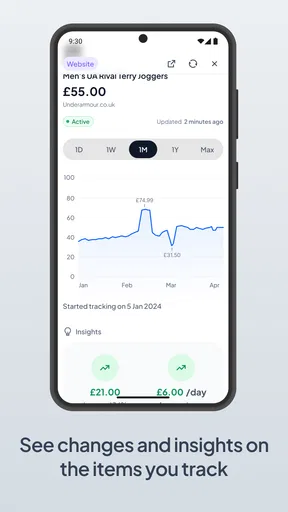
- Detailed analytics and insights for data.
- Secure data storage with encryption.
Limitations of AnyTracker - track anything!
- Limited free version functionality.
- Requires internet for full features.
- No offline mode available for tracking.
- Occasional sync delays reported by users.
- Notifications can be overwhelming.
Similar Picks in This Category
View All
SHEIN-Shopping Online
Roadget Business PTE. LTD.4.8

Amazon Shopping
Amazon Mobile LLC4.4


Mercado Libre: Compras online
Mercado Libre4.8

Wish: Shop and Save
Wish US Holdings LLC4.7

Alibaba.com - B2B marketplace
Alibaba Mobile4.4
Frequently Asked Questions
What is AnyTracker and how does it work?
AnyTracker is a versatile application designed to help users track virtually anything, whether it's habits, goals, or tasks. The app allows you to create custom trackers with specific parameters, set reminders, and analyze your progress through detailed metrics. Its user-friendly interface ensures you can easily manage and monitor your activities effectively.
Can I use AnyTracker to track multiple items simultaneously?
Yes, AnyTracker supports tracking multiple items at once. You can set up different trackers for various aspects of your life, such as fitness goals, reading habits, or expense tracking. Each tracker can be customized with unique settings, so you have a comprehensive view of all your tracked items in one place.
Is AnyTracker compatible with both Android and iOS devices?
Absolutely, AnyTracker is available for both Android and iOS platforms. This cross-platform compatibility ensures that you can seamlessly synchronize your data across different devices, allowing you to keep track of your progress whether you're using a smartphone or tablet.
Does AnyTracker offer customizable notifications and reminders?
Yes, AnyTracker provides customizable notifications and reminders to keep you on track. You can set specific times and frequencies for alerts, ensuring that you never miss an important update or forget to log your progress. This feature is crucial for maintaining consistency in achieving your goals.
Is my data secure with AnyTracker?
Data security is a priority for AnyTracker. The app employs robust encryption protocols to protect your information. Additionally, it offers options for backing up your data and restoring it if needed, ensuring that your progress and personal information remain safe and accessible at all times.
